- Category:
- Workflow Tips
- Summary:
- Find five free 3D text generators: STL for printing, visual effects, AI designs, plus honest watermark and signup comparisons to choose the right tool.
Start here Five free online tools let you create 3D text in under a minute: TextStudio (visual effects), Printpal.io (STL for 3D printing), Canva (design新手), Adobe Express (AI-assisted), and 3DAIStudio (GLB/PNG exports). Printpal and 3DAIStudio require no signup and add no watermark; Canva free may watermark exports. → Jump to any section using the navigation below.
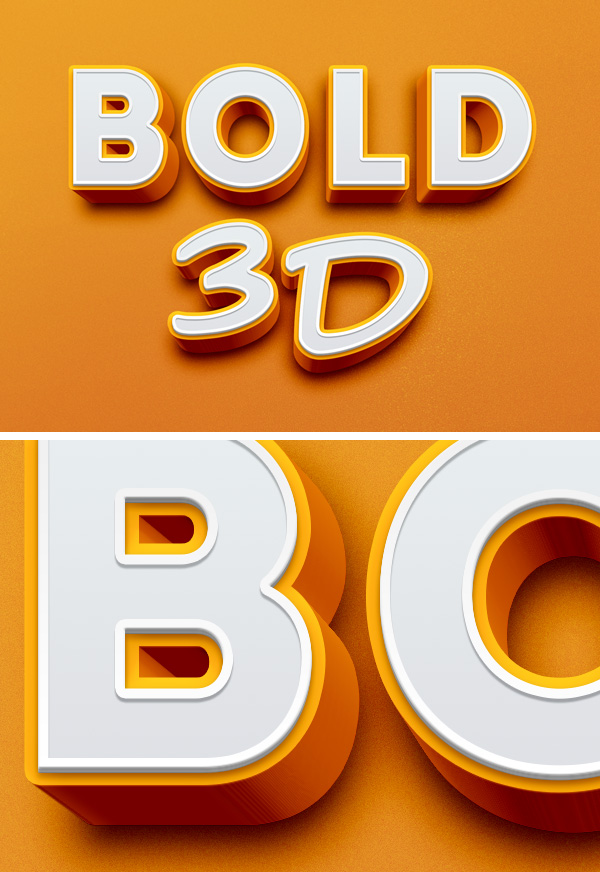
Example of a bold 3D text effect — the kind you can create with the generators covered in this guide.
Are Free 3D Text Generators Really Free?
Many online tools advertise "free 3D text", but the fine print varies. The most common hidden costs are watermarks on exported files, required signups that lead to subscription upsells, and limited export formats that lock you into a single resolution. Below is what the major players actually deliver.
Printpal.io states on its site: "100% free, unlimited downloads, no account, no watermark." That claim holds up in testing — you type your text, pick a font, and download an STL without ever creating an account. 3DAIStudio follows the same model: no signup, and exports to GLB or PNG with no visible watermark.
On the other hand, Canva's 3D Maker is labelled "free to use" but unlocks additional features — larger file sizes and transparency adjustments — only with a Pro subscription. Free exports may carry a small watermark, depending on the template. Adobe Express is free with an Adobe account; our tests found no watermark on exported PNGs, but that policy could change.
Test before you commit If you are creating 3D text for a commercial project, generate a test export from each tool first. Watermark policies and resolution limits can shift without notice. Printpal and 3DAIStudio are currently the safest bets for zero-watermark output.
Which 3D Text Generator Fits Your Specific Project?
No single generator covers every use case. The table below compares six major options across the dimensions that matter most: signup, watermark, export formats, effects, and the type of project each suits.
| Generator | Signup? | Watermark? | Export formats | Effects / fonts | Best for |
|---|---|---|---|---|---|
| TextStudio | No | No | PNG, SVG (likely) | Gold, neon, fire, metal, graffiti, glitter | Visual effects for thumbnails, logos |
| Printpal.io | No | No | STL | 20 commercial-free fonts, auto-connect | 3D printing (keychains, nameplates) |
| Canva | Free account | May appear on free exports | PNG, JPEG | 3D Maker app, Pro unlocks transparency | Social graphics, beginners |
| Adobe Express | Adobe account | None detected | PNG, JPEG | AI-generated 3D from text prompt | Quick AI-assisted designs |
| 3DAIStudio | No | No | GLB, PNG | Depth, bevel, materials | AR/VR, web (GLB) exports |
| Panzoid | Account | May vary | Video overlay (MP4) | Pre-made animated templates | Video intros, AMV overlays |
Beyond the main six, two specialized resources are worth knowing: FontSpace offers a category of 3D fonts with a letter generator (primarily a font library, not a full 3D text creator), and Magnific provides free 3D text vectors and PSD files for commercial use.
TextStudio — Visual Effects Library
With effects ranging from gold and neon to fire, metal, graffiti, and glitter, TextStudio is built for creators who need eye-catching text for thumbnails, social media, and branding. The platform states it is used by "millions of creators, designers, and businesses" worldwide. Export formats are not explicitly listed on the site, but the interface suggests PNG and SVG output.
Printpal.io — Purpose-Built for 3D Printing
Printpal is the only free generator in this list that outputs STL files ready for slicing. It includes 20 commercial-free fonts across sans, serif, and script categories — names like Bebas Neue, Anton, Oswald, Montserrat, Playfair Display, and Pacifico. A standout feature is auto-connect, which bridges floating parts (dots on i, j, !, ?) automatically. You can also choose edge finishes: flat, chamfered, or rounded.
Canva — Entry-Level Design
Canva's 3D Maker app is free to use, but full functionality — including file size control and transparency adjustments — requires a Pro account. For casual social-media graphics, the free tier works fine; for commercial-quality exports, you may need to upgrade.
Adobe Express — AI-Generated 3D
Adobe Express uses generative AI to turn a plain text prompt into a 3D-styled graphic. It is free with an Adobe account and appears to export without a watermark, though Adobe's terms for commercial use of AI-generated content should be reviewed on their site.
3DAIStudio — GLB/PNG Without Signup
If you need a GLB file for WebXR, AR, or a game engine, 3DAIStudio is the quickest route. No account is required, and you can adjust depth, bevel, and material properties before exporting.
Panzoid, FontSpace, Magnific — Specialized Niches
Panzoid hosts pre-made 3D text video overlays (editable templates for intros and watermarks). FontSpace is a font resource with a 3D category. Magnific offers free vectors and PSD files — useful if you want to start from a layered Photoshop template rather than a live generator.
How Do You Create 3D Printable Text?
Two workflows dominate: a one-click approach via Printpal and a more advanced route using Rhino 3D. Both produce watertight STL files suitable for slicing and printing.
Using Printpal for One-Click STL Generation
- Open Printpal's 3D text generator.
- Type your text and choose a font from the 20 commercial-free options.
- Adjust depth, bevel, and edge finish (flat, chamfered, or rounded).
- Enable auto-connect to bridge floating dots on i, j, !, ?.
- Download the STL — no account, no watermark. The live panel shows estimated filament length and print time.
Two‑color printing trick Printpal can generate separate STL files for the base and the text, letting you swap filament at a specific layer height. Pause your printer at the base layer, switch filament, and resume — no multi-material unit required.
Using Rhino for Advanced 3D Text Modeling
For complete control over typography and geometry, Rhino 3D offers a professional workflow. The TextObject command lets you output text as curves, surfaces, or solids. After creating the text, use the Gumball tool to scale or rotate, then apply Boolean operations to combine or subtract from other shapes. Before exporting for 3D printing, convert to a watertight mesh and run CheckMesh to catch errors. A detailed walkthrough from Novedge covers these steps in depth.
Recommended Print Settings for Best Results
Based on Printpal's official documentation and common practice, these settings produce durable, clean 3D printed text:
- 0.16–0.20 mm — Layer height
- 15% Gyroid — Infill pattern
- 3 (or 4 for tiny text) — Perimeters
- No supports — Support structure
- PLA (indoor) · PETG (outdoor) — Material recommendation
Can You Make 3D Text with Inkscape, Illustrator, or CSS?
Yes — and each approach serves a different purpose. Inkscape and Illustrator are ideal for vector-based 3D text in print and screen graphics, while CSS layered text lives directly in the browser.
Inkscape — Path Effects for Esports-Style Text
A popular YouTube tutorial by Logos By Nick demonstrates how to create bold, esports-inspired 3D text using Inkscape's path effects and extensions. The technique relies on stacking offset copies of the text, then applying a bevel effect to simulate depth. Watch the full walkthrough here.
Illustrator — Realistic 3D Shading and Extrude
Adobe Illustrator's 3D effects panel includes Extrude & Bevel, which converts 2D text into a solid 3D object with controllable depth, rotation, and shading. A dedicated tutorial on the Spoon Graphics YouTube channel walks through adding realistic highlights and shadows.
CSS — Layered Text for Web Design
The CSS-Tricks layered method stacks multiple HTML/CSS copies of the same text with subtle offset and colour shifts to create a 3D effect — no JavaScript, no canvas. Each layer is shifted by 1–2 pixels in X and Y, with progressively darker tones. For accessibility, decorative layers should carry aria-hidden="true". This technique works in all modern browsers but breaks in older versions (Internet Explorer, legacy Edge).
Web performance note CSS layered text is lightweight — it adds no images and no JavaScript. For a simple hero heading, it is often faster than loading a generated image. If you need animated 3D text on the web, consider combining the CSS method with a mouse-tracker for interactive tilt.
Why Does My 3D Text Look Wrong or Fail to Print?
Even with the right tool, a few common pitfalls can ruin your 3D text — especially when printing. Here are the most frequent issues and how to fix them.
Floating Parts on i and j — Use Auto-Connect
The dots above lowercase i, j, and punctuation like ! and ? often print as separate floating objects that collapse mid-print. Printpal solves this with its auto-connect feature, which automatically adds a thin bridge between the dot and the main letter. If your generator lacks this option, you can add small supporting struts manually in your slicer.
- Fix in Printpal: toggle "Auto-connect" on before generating the STL.
- Fix in any slicer: use the "support blocker" or "add primitive" tool to build tiny columns under floating parts.
Watermark on Free Exports — What to Expect
Not every "free" export is clean. As noted in the comparison, Canva may apply a watermark on free-tier exports, while Printpal and 3DAIStudio do not. Adobe Express currently appears watermark-free. The safest workflow: test one export from each tool before investing time in a full design.
Always verify Export a test file and zoom in. Watermarks are sometimes subtle — a faint logo in the corner or a small credit line at the bottom. For commercial clients, a clean export is non-negotiable.
Poor Documentation in Aximmetry — Community Workarounds
Users of Aximmetry (a real-time compositing and virtual production platform) have voiced frustration about the 3D text node documentation. On the Aximmetry forum, user Ferlaur described the tutorials as "very badly done" and the documentation as "confusing". Until official materials improve, the community recommends searching the forum for specific node parameters — or experimenting with the font, extrusion, and material settings one at a time and logging the results.
Font Licensing and Browser Compatibility
Two often-overlooked constraints: custom fonts you upload may require a commercial license, and CSS layered 3D text breaks on older browsers. Printpal's 20 built-in fonts are cleared for commercial use, but if you upload your own, verify the license. For CSS, test in Chrome, Firefox, and Safari — skip Internet Explorer entirely.
What Are the Limitations of Free 3D Text Tools?
Free tools are excellent for quick results, but they have boundaries. Knowing where the free tier ends helps you decide when to upgrade or switch to professional software.
Canva Pro Paywall
Canva's 3D Maker is free, but file size limits and transparency controls sit behind the Pro subscription. If your project requires a large-format print or a transparent background, you will need to pay or export from a different tool.
Font and Export Restrictions
Printpal offers 20 commercial-free fonts, but custom font uploads require you to check the license independently. Some generators — particularly free tiers of larger platforms — restrict exports to low-resolution PNG only, with no STL or GLB output. Always check the export format list before building your workflow around a tool.
Browser and Device Dependence
Online generators run in your browser, which means performance depends on your device and connection. Complex fonts with high polygon counts can slow down or crash older machines. The CSS layered method, while lightweight, fails entirely on Internet Explorer and may glitch on legacy mobile browsers.
No Watermark Guarantee
As highlighted throughout this guide, "free" does not always mean "watermark-free." Printpal and 3DAIStudio are the only tools in this roundup that explicitly — and in testing, reliably — deliver clean exports without a signup. For any other tool, test before trusting a commercial project to it.
When to move beyond free tools If you need animated 3D text (beyond pre-made Panzoid templates), multi-material colour printing, or full 3D scene integration with lighting and camera paths, free generators will fall short. At that point, consider Blender, Cinema 4D, or After Effects — each of which offers a free trial or a generous community edition.