- Category:
- Background Removal
- Summary:
- Find Pixelcut alternatives with unlimited free exports, commercial licenses, and batch processing—compare to pick the best tool for product photos.
At a glance
Pixelcut serves over 70 million sellers but limits free AI tools to roughly 3 uses per day and lacks a commercial license on its free plan. The alternatives below fill specific gaps — unlimited free exports, mobile stability, e‑commerce automation, or dedicated Photoshop integration.
- PhotoGrid — 100% free, no login, HD unlimited
- Photoroom — strong mobile UI, but 100 exports/month cap
- Playyy — brand‑kit extraction from store URL
- remove.bg — single‑purpose, fast, free preview
- Layerbench — Photoshop plugin for cutout + batch export
Quick Decision: Which Pixelcut Alternative Fits Your Workflow?
Each tool below was evaluated against the same criteria — free tier limits, commercial licensing, mobile availability, batch processing, and export resolution. The table gives you a side‑by‑side comparison before you dive into the detailed sections.
| Tool | Free Tier | Commercial License (Free) | Batch | Mobile App |
|---|---|---|---|---|
| Pixelcut | ~3 AI uses/day; HD exports, no watermark | Not listed (Pro includes it) | Limited | iOS & Android |
| PhotoGrid | Unlimited HD exports, no login, no watermark | Yes (free for commercial use) | Yes | iOS & Android |
| Photoroom | 100 exports/month; 2000×2000 web max | Personal non‑commercial only | No (free) | iOS & Android |
| Playyy | None (starts at $18/mo Basic) | Included in paid plans | Yes | Browser only |
| remove.bg | 0.25 MP preview (612×408 px) | Only with paid downloads | No (free) | API / web |
| ClipDrop | 1 image at a time; SD only | No (free) | No (free) | iOS & Android |
| Layerbench | Photoshop plugin (requires PS license) | Yes (no added restrictions) | Yes (batch layer export) | Desktop only |
Below each tool is covered in depth — including real user complaints and workarounds you won’t find in official marketing.
Is Photoroom a Strong Pixelcut Alternative Worth Considering?
Photoroom is often the first alternative sellers try. Its mobile app is polished, and the company has notable clients — Warner Bros used the Photoroom API for the Barbie campaign. But the free tier has meaningful limits, and pricing information varies depending on the source.
Pricing discrepancy noted. One source lists Photoroom Pro at $12.99/month (or $89.99/year), while another reports $9.99/month (or $69.99/year). Because the two figures differ, check Photoroom’s official pricing page for the current rate before subscribing.
Free plan details: You get 100 exports per month. On the web, the maximum export resolution is 2000×2000 px. Free accounts are licensed for personal, non‑commercial use only — a critical restriction for e‑commerce sellers who need a commercial license.
Who it suits: Mobile‑first sellers who produce fewer than 100 product images per month and can work within the resolution cap. For higher volume or commercial use, the Pro plan is required.
What Are Photoroom’s Biggest Complaints from Real Users?
A detailed Reddit post from the r/eBaySellers community captures the frustration. The user reported that “recent changes have made the app unusable” — their phone overheated and the app crashed repeatedly. They also hit the export cap and found that eBay’s built‑in background remover “isn’t as precise” and doesn’t allow editing when it gets the cutout wrong.
The same user highlighted features they needed but couldn’t find in Photoroom: the ability to edit what was removed, move and resize the subject, and process batches. They eventually switched to Pixelcut, which “has very similar features and actually works without crashing. Plus no export limits!” The full thread is available on Reddit.
Heads-up for heavy users: If your workflow involves more than 100 exports a month or you shoot on a hot studio floor, Photoroom’s overheating and crash reports are worth noting. Testing on a secondary device first may save you a stalled production day.
What Does Playyy Offer That Pixelcut Doesn’t?

Playyy’s AI product‑scene generation produces posters and on‑model visuals, a feature set aimed at e‑commerce sellers who need automated brand‑consistent imagery.
Playyy is a browser‑based platform (no mobile app) built for sellers who want to automate product photography. Its standout feature is brand‑kit extraction from a store URL: paste your Shopify or WooCommerce link, and Playyy pulls your colors, fonts, voice, tone, and logo automatically. It then generates product scenes that match your brand without manual setup.
Pricing (as of October 2026):
| Plan | Monthly | Annual (per month) | First Month |
|---|---|---|---|
| Basic | $18 | $15 | $9 |
| Pro | $48 | $39 | $24 |
| Mega | $98 | $79 | $49 |
The platform includes 1,000+ templates and a prompt gallery. It uses the GPT Image 2.5 model by default, with options for Nano Banana Pro and Nano Banana Lite. For serious e‑commerce sellers who need automated scene generation at scale, Playyy offers capabilities that general‑purpose tools lack. More details are on the Playyy blog.
Can PhotoGrid Actually Be 100% Free with No Logins?
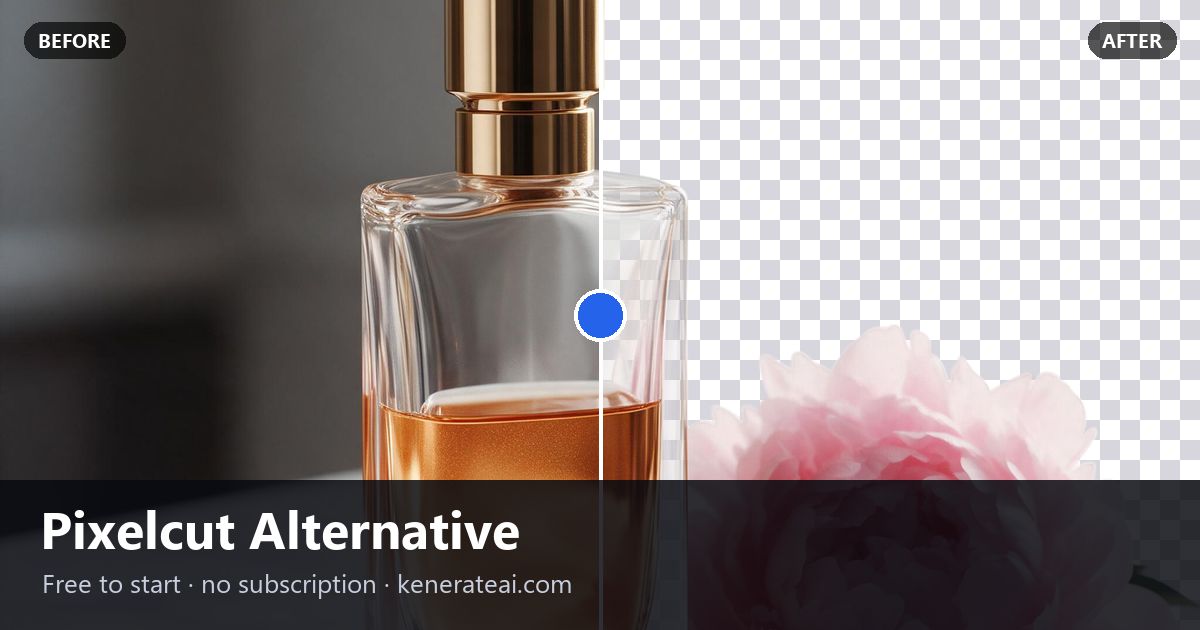
Split‑screen demonstration of background removal — a common use case where PhotoGrid’s free tier matches what paid tools deliver.
Yes — PhotoGrid lives up to its claim. According to the PhotoGrid blog, the service is 100% free, requires no login, adds no watermark, and supports HD exports with no resolution limits. Batch processing is also available on the free tier, making it one of the most generous free options on the market.
Trade-offs to consider: PhotoGrid has fewer design templates than Canva or Pixelcut Pro. It also lacks AI generative fill — you get background removal, resizing, and basic enhancements, but not scene generation or text‑to‑image features. For sellers who primarily need clean cutouts and HD transparent PNGs without paying, PhotoGrid is a strong candidate.
Real‑world check: Because PhotoGrid requires no account, it’s ideal for quick one‑off edits or for testing before committing to a paid tool. If you later need templates or generative AI, you can layer in a second tool without losing the work you’ve already done.
Is ClipDrop a Viable Alternative or Too Restrictive?
ClipDrop ranked #1 on Product Hunt as a Pixelcut alternative, but its free tier has several constraints. On the free plan, you are limited to 1 image at a time, exports are SD only, and during busy hours the service may restrict you to 1 image unless you upgrade. The Pro plan costs HK$129/month (approximately US$16.50, though the exact USD equivalent may vary by region).
Free tier suitability: ClipDrop works for occasional users who need a quick background removal and don’t mind SD resolution. For anyone processing more than a few images a day or needing HD exports, the paid plan is necessary, and at that point other tools may offer better value. The PhotoGrid blog provides a detailed comparison of ClipDrop’s limits alongside other alternatives.
How Do Simple Tools Like remove.bg, PicWish, and UltraPic Compare?
Not every workflow requires a full design suite. For users who just need background removal, these three tools each serve a specific niche.
remove.bg – Specialized Background Remover
remove.bg is 100% focused on AI background removal — it does one thing and does it quickly. The free tier provides a preview download at 0.25 MP (612×408 px). For full‑resolution downloads, you need a paid plan. It’s ideal for testing whether an image will cut out cleanly before committing to a paid export. Source: UltraPic comparison.
PicWish – 50 Free Removals Per Day
PicWish offers 50 background‑removed images per day for free, with no watermarks. It’s mainly a cutout and enhancement tool — it has fewer design features than Pixelcut or Canva, but the daily quota is generous enough for small‑batch sellers. Source: Playyy blog.
UltraPic – Fully Online but Basic Editing
UltraPic runs 100% in the browser — no downloads needed — and combines an AI background remover with a basic image generator. However, creative editing and detail adjustments are limited. It suits users who need a quick online tool without installing software. Source: UltraPic comparison.
Canva and Adobe Express as General Design Alternatives
Both Canva and Adobe Express are general design platforms that include background removal as one feature among many. They are less specialised than Pixelcut but compensate with extensive template libraries and typography tools.
Canva – Strong Template Library for Design-First Users
Canva’s huge template library makes it a natural choice for sellers who produce social media graphics, listing images, and promotional banners. However, its AI background removal is less specialised than Pixelcut’s — fine for clean subjects, but it can struggle with fine details like hair or glass. Some AI features require a Pro subscription. Source: UltraPic comparison.
Adobe Express – Professional Output, Steeper Learning Curve
Adobe Express offers free background removal, high‑quality templates, and robust typography. The trade‑off is a learning curve that beginners often find steep. For users already familiar with Adobe’s ecosystem, Express integrates well; for newcomers, the array of options can be overwhelming. Source: UltraPic comparison.
Niche Alternatives: ProRemover, RAWSHOT, and WizStudio
These three tools address specific verticals that general‑purpose alternatives often ignore. If your work falls into one of these categories, they may be a better fit than a broad tool.
ProRemover
Focused on text removal. ProRemover specialises in erasing text from images — useful for sellers who need to clean up product shots with foreign labels or watermarks. It is less suited for general background removal. Check the ProRemover blog for full capabilities.
RAWSHOT
Apparel and fashion focus. RAWSHOT tailors its AI for clothing product shots — it handles folds, fabric edges, and mannequin removal better than generic tools. Ideal for fashion resellers and print‑on‑demand stores. Source: RAWSHOT alternatives page.
WizStudio / Pixelbin
E‑commerce product photo platform. Formerly Pixelcut (briefly known as Pixa), WizStudio focuses on product photography workflows. It’s built for sellers who need consistent cutouts, background replacement, and batch processing. Source: Wizcommerce blog.
What About a Desktop‑Focused Photoshop Plugin?
For users who already work in Adobe Photoshop, a plugin can be more efficient than switching to a separate app. Layerbench is a Photoshop plugin panel that runs subject selection, creates a mask, trims to the subject’s bounds, and exports a transparent PNG in a single action. It uses Photoshop’s own Select Subject capability, so it doesn’t require a separate AI service.
Key capabilities include:
- One‑click cutout and export — runs subject selection, mask creation, and PNG export together.
- Mask‑only mode — creates the cutout mask on the current layer and stops, leaving the PSD editable for further refinement.
- Edge cleanup — applies a mask Minimum (shrink) with a user‑supplied radius (1 px, 2 px, or 3 px) to reduce light fringes and background halos.
- Lossless layer export — exports one or more selected layers as transparent PNGs, trimming each to its visible‑pixel bounds, with no scaling.
Layerbench is best for users who need a batch‑friendly, script‑like workflow inside Photoshop rather than a standalone app. More information is available at layerbench.design.
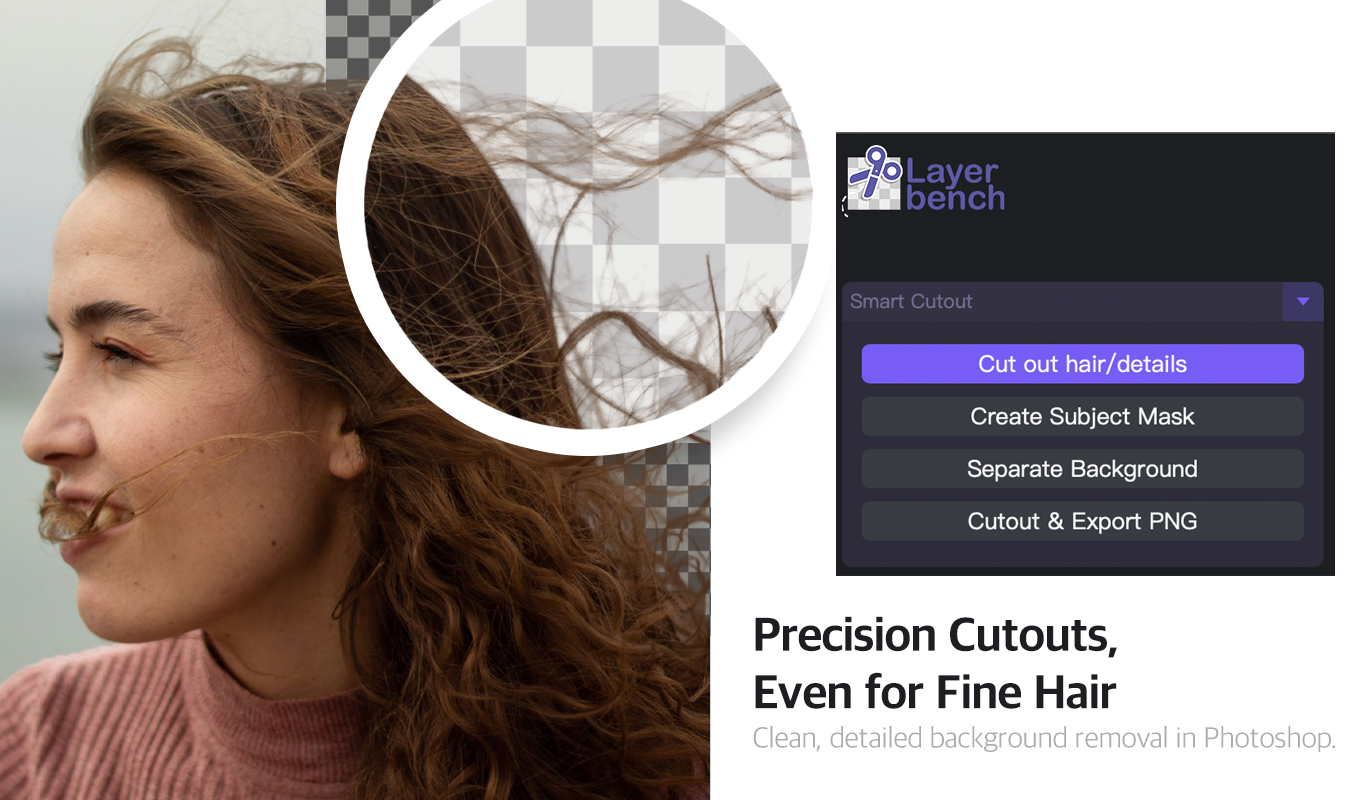
Layerbench — a separate Photoshop plugin: Smart Cutout keeps fine hair on transparency (Cut out hair/details, Create Subject Mask, Separate Background, Cutout & Export PNG).
Related: Photoshop background-removal plugins compared · best photo editor for background removal.
Why Users Are Switching from Pixelcut (Real Problems Solved)
The decision to switch often comes down to specific pain points that official marketing doesn’t highlight. Based on community reports — particularly from the r/eBaySellers thread — here are the most common reasons sellers move to an alternative:
- App crashes and overheating. Several users report that Photoroom, in particular, causes their phone to overheat and crash during extended editing sessions. Switching to Pixelcut or another tool resolved the issue for some, but others have moved beyond Pixelcut itself for different reasons.
- Export caps. Photoroom’s 100‑exports‑per‑month free limit was the breaking point for at least one seller who needed to process hundreds of listings. Alternatives like PhotoGrid (unlimited free) or Playyy (paid but high‑volume) remove that ceiling.
- Lack of editability. eBay’s built‑in background remover and some free tools don’t let you correct mistakes. Users want to “edit what background was removed” and “move the subject of the photo and resize.” Layerbench and Playyy both offer post‑removal editing.
- Credit‑card gates. One Reddit user built their own offline tool (Bgremovefree, using WebAssembly) specifically because “other websites keep asking for credit and money.” For those who refuse to enter payment details for a trial, PhotoGrid (no login, no card) and remove.bg (free preview with no signup) are the cleanest options.
- Missing batch processing. Another user built the Erasee app to get remove/change background, layer editing, and canvas resizing — but noted “no batch process yet” as a limitation. For batch workflows, PhotoGrid, Playyy, and Layerbench all support batch operations.
Each alternative in this article addresses one or more of these problems directly. The table below maps your situation to the best fit.
Which Pixelcut Alternative Should You Choose?
Use this decision matrix to match your workflow to the tool that fits it best. The recommendation is based on the evidence presented above — free‑tier limits, commercial licensing, mobile availability, and real‑user feedback.
| If you are… | Recommended tool | Why |
|---|---|---|
| An e‑commerce seller needing automated scenes | Playyy | Brand‑kit extraction from your store URL and AI scene generation save hours per week. Paid plans include commercial license. |
| Budget‑conscious and want unlimited free use | PhotoGrid | No login, no watermark, no HD limits, and batch processing — all at no cost. |
| A mobile‑first occasional user | Photoroom | Polished mobile UI and good cut quality. Watch the 100‑export cap — upgrade if you exceed it. |
| Already working in Adobe Photoshop | Layerbench | Non‑destructive cutout, edge cleanup, and batch layer export stay inside your existing PS workflow. |
| Only need quick background removal | remove.bg | Single‑purpose, fast, and the free preview tells you whether the cutout will work before you pay. |
| Specialising in text removal from images | ProRemover | Dedicated to erasing text — does that one task better than a general background remover. |
| Selling apparel or fashion items | RAWSHOT | Tailored AI for fabric folds, mannequin removal, and clothing edges. |
| Building designs from templates | Canva | Best template library for social media and listings; background removal is a bonus feature alongside design tools. |
No single tool fits every seller — but by matching your volume, platform, and editing needs to the strengths above, you can avoid both crashes and credit‑card gates while keeping your product images consistent and professional.